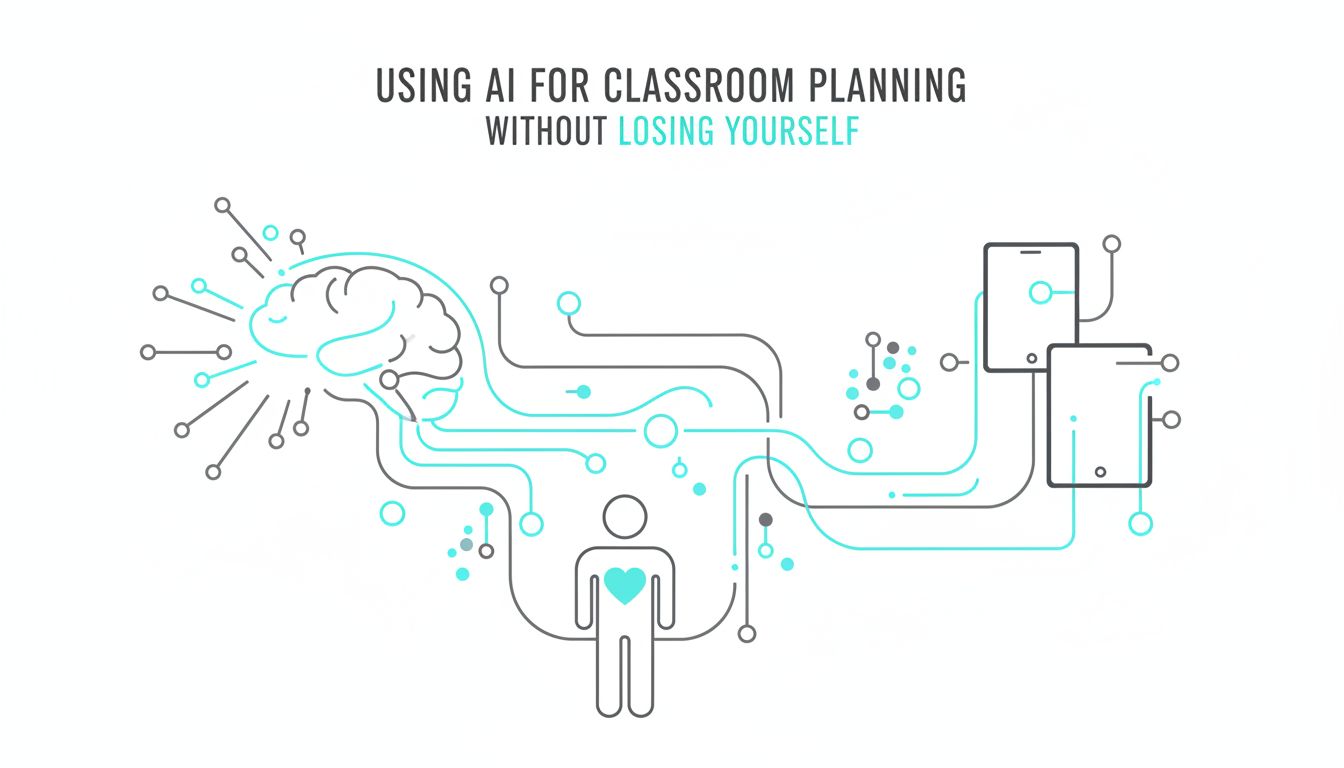
Using AI for classroom planning without losing yourself
Your planning period is 42 minutes.
By the time you answer two parent emails, unlock the Chromebook cart twice, print the quiz the copier jammed on last week, and talk a student through a locker meltdown, you are down to 11.
Now you are supposed to design meaningful learning for tomorrow. For three preps. With differentiation. And data.
That is the real context for using AI for classroom planning.
Not "How can I replace teachers with robots?"
More like, "How do I get my Sunday back without becoming a script-reading automaton?"
This is where AI can actually help, if you stay in charge.
Why using AI for classroom planning matters more this year
The planning squeeze on K, 12 teachers in private and charter schools
If you teach in a private or charter school, you often have more autonomy and more scrutiny at the same time.
You might:
- Teach multiple preps across grades.
- Build or adapt your own curriculum instead of following a district script.
- Respond to very engaged, sometimes demanding, families.
- Meet ambitious school-level goals for test scores, college readiness, or character education.
That freedom is powerful. It is also exhausting.
Lesson planning becomes a constant negotiation: your professional vision versus your actual time and energy.
So when people start talking about using AI for classroom planning, what many teachers are really hearing is:
"Is there anything that can help me think clearly, faster, without dumbing my teaching down?"
Why AI is suddenly showing up in education conversations
Generative AI went from sci‑fi to staff meeting agenda in about a year.
That is not hype. The tools really did shift that fast. You can now type:
"Create a 45-minute lesson outline on photosynthesis for 7th grade, aligned to NGSS MS-LS1-6, with a quick hands-on activity and a 3-question exit ticket."
And get something useable in seconds.
The reason AI is showing up in education conversations now is simple.
The tools crossed a threshold where they can:
- Understand natural language prompts.
- Combine multiple constraints, like grade level, standards, and student needs.
- Generate decently structured ideas quickly.
They are not ready to run a classroom.
They are very ready to help you stop staring at a blank planning template.
What teachers really mean when they say “AI for planning”
From blank page to starting point: lesson seeds, not full scripts
Most teachers who are curious about AI do not want full scripted lessons.
They want lesson seeds.
Something like:
- A rough outline of activities.
- A few ways to introduce the concept.
- A model of a student-friendly explanation.
- Sample questions for checks for understanding.
Imagine you are planning a lesson on equivalent fractions for 4th grade.
You could ask a tool like SchoolGPT:
"Give me 3 different ways to introduce equivalent fractions to 4th graders, without using worksheets, in about 10 minutes each."
Now you have options.
Maybe you combine two of the ideas, or adjust one to use fraction tiles instead of drawings. The AI did not plan your lesson. It gave you raw material faster.
Think of AI as that colleague down the hall who loves brainstorming and never runs out of ideas. You still decide which ideas are any good.
[!TIP] Use AI for the "give me 10 ideas" part of planning, not the "what exactly will I say at 10:03 a.m.?" part.
Clarifying what AI can’t do (and shouldn’t do) for your classroom
AI can sound confident about things it is completely wrong about.
It can also sound bland about things that are deeply human.
Here is what it cannot do well, and you should not ask it to:
- Know your students, their histories, and their triggers.
- Read the room when a lesson is crashing and pivot in the moment.
- Understand the dynamics of your specific school, community, and families.
- Replace your professional judgment about what is age-appropriate, culturally responsive, or trauma informed.
AI also has no sense of what it feels like to be in your classroom on a rainy Friday in February after indoor recess.
That matters.
So a healthy posture is: AI can draft. You decide.
If it ever feels like the AI is teaching and you are supervising, you have crossed the line.
How AI can quietly take chores off your planning plate
This is where things get practical.
Used well, AI can remove a chunk of the grunt work that eats your planning block. Not the creative thinking. The copy-and-paste, re-format, rewrite-for-this-level work.
Turning standards into workable lesson outlines
Many teachers are tired of playing "translate the standards."
The standard says: "Analyze how a text uses structure to emphasize key points or advance an explanation or analysis."
Your brain says: "So what do I actually do on Tuesday?"
Here is a useful pattern.
You paste a standard into a tool like SchoolGPT and ask:
"Turn this standard into a 3-day sequence for 8th grade, 50 minutes per day, including: a launch, a main activity, and a simple exit ticket each day. Then suggest 2 possible texts that are high interest for this age group."
You are not asking for full lesson plans.
You are getting a skeleton that you can flesh out with your own expertise, materials, and knowledge of your students.
For example, you might get:
- Day 1: Mini-lesson on text structures, partner sort of text excerpts.
- Day 2: Whole-class close read of an article, finding structural choices.
- Day 3: Students write a short paragraph analyzing one structural move.
You will still decide which article, how to phrase the questions, and how to support your struggling readers.
AI just jumped you past the "What are three coherent days that build?" problem.
Differentiation, accommodations, and family communication drafts
This is where AI starts to feel less like a gadget and more like a relief.
You know how long it takes to:
- Rewrite a text at a lower reading level.
- Create sentence frames or word banks.
- Draft a note to families about a new unit in language that is clear but not condescending.
AI can compress that into minutes, as long as you are specific.
Example for differentiation:
"Here is a paragraph I am using with my 5th graders about the water cycle. Rewrite it at a 3rd grade reading level. Keep the key vocabulary, but explain the words evaporation and condensation with kid-friendly definitions in parentheses."
Example for accommodations:
"I have a 7th grader who struggles with written output but has strong verbal skills. I am assigning a one-page written reflection on the Civil Rights Movement. Suggest 3 alternative ways this student could show understanding, with simple instructions I can paste into the assignment."
Example for families:
"Draft a short email to 3rd grade families explaining that we are starting a unit on multiplication. Mention that we will focus on understanding equal groups, not just memorizing facts. Offer 2 simple at-home activities they can do during daily life, like at the grocery store."
You will still review and adjust, especially for tone with your specific community.
But starting from a thoughtful draft is much better than starting at zero.
Using AI for exit tickets, do-nows, and quick formative checks
The planning tasks that quietly pile up are the "little" ones.
- A do-now that reviews yesterday without repeating the same problem.
- An exit ticket that actually shows who is confused.
- A quick writing prompt that is not terrible.
AI is very good at generating these, as long as you steer it.
Here is how you might use it:
"Generate 5 exit ticket questions that check whether 9th graders understand how to find the slope of a line from two points. Include a mix: one multiple choice, two short answer, and two where they have to explain an error."
Or:
"Create 4 different 'do now' warm-ups for 6th grade, 5 minutes each, that review dividing fractions in word problem form."
You can then:
- Pick the strongest 2 or 3.
- Edit the wording.
- Adjust numbers or examples to match what your students see in your curriculum.
Over time, you will build your own bank of vetted items. AI is just the generator behind the scenes.
[!NOTE] If a prompt takes longer to write than the activity you want, simplify the ask. Target one very specific task.
The hidden costs and guardrails teachers need to know
AI is not magic. It is a pattern machine trained on huge amounts of text.
That brings real risks. You do not need a computer science degree to manage them. You just need clear boundaries.
Bias, inaccuracies, and student privacy in plain language
Every AI model has bias baked in, because it learns from human-created data.
That can show up in subtle ways.
- The examples it gives of "famous scientists" might skew heavily male and white.
- Suggested names in math problems might default to certain cultures.
- Behavior scenarios might reflect stereotypes about which students "cause trouble."
You can counter this by:
- Asking explicitly: "Include a diverse set of names and examples."
- Swapping in your own contexts and representations.
- Doing a quick bias check whenever you use AI-generated stories, scenarios, or images.
Then there is accuracy.
AI will occasionally invent facts, sources, or quotes. It does not "know," it predicts.
So:
- Never take AI-generated historical facts or data at face value. Cross-check with a trusted source.
- For content-heavy subjects like science and social studies, treat AI like a student teacher. Helpful, but you still verify.
Finally, student privacy.
You should not paste:
- Full student names.
- Identifiable anecdotes tied to specific kids.
- Sensitive information from IEPs or 504s.
Instead of "Jamal, who has ADHD and an IEP goal about staying focused," say "A 5th grade student with ADHD who struggles to stay focused during independent work."
[!IMPORTANT] If your school uses a tool like SchoolGPT that is designed for education, ask explicitly how it handles data, storage, and privacy. "Where does this text go?" is a fair question.
Simple classroom-safe routines for reviewing AI output
You do not need a 10-step protocol to use AI safely.
You do need a habit.
A simple three-part check works:
| Check | What you do | Example |
|---|---|---|
| Accuracy | Verify facts, numbers, definitions | Cross-check a date or formula with your curriculum guide |
| Bias & representation | Scan for stereotypes, narrow examples, missing perspectives | Swap out all-male scientist examples for a more diverse set |
| Fit for your class | Adjust tone, difficulty, and context to your students and community | Change "football" example to "soccer" if that fits better |
Make it fast and intentional, not perfect.
You are already doing this when you Google "photosynthesis worksheet" and quickly reject 8 out of 10 results. AI just adds a new source to review.
Imagining what’s possible when AI becomes your planning assistant
Freeing up time for feedback, relationships, and creativity
The real promise of AI in planning is not more worksheets.
It is more you where you matter most.
If AI can take 30 minutes of drafting and formatting off your plate, what do you do with that time?
Some possibilities:
- Sit with a small group and give real-time feedback on their writing.
- Call the parent you have been meaning to connect with before a small issue becomes a big one.
- Design that hands-on lab you never seem to have time for, because you are always catching up on basics.
- Actually read through yesterday's exit tickets and plan a quick reteach instead of plowing ahead.
There is also a quieter benefit.
When you are not constantly racing the clock, your creative brain has room to play again.
You might:
- Ask AI for 5 ways to teach negative numbers using movement, then pick one and build it out.
- Combine an AI-generated scenario with a simulation you found at a conference.
- Turn a standard review lesson into a game because you had the energy to tweak it.
That blend of tool support and teacher creativity is where things get interesting.
Small first steps you can try in next week’s planning block
You do not need a school-wide initiative to test this.
Pick one planning task that feels like a chore. Then let AI help, with clear limits.
Here are three simple starting experiments.
The exit ticket batch
- Choose a concept you are teaching next week.
- Ask AI: "Generate 8 exit ticket questions for 5th grade on [concept], increasing in difficulty, with a mix of multiple choice and short answer."
- Use 2 or 3 after editing. Save the rest in a shared doc for later.
The standard translation
- Grab a standard you are teaching soon.
- Paste it and ask: "Turn this into a single lesson outline for [grade], 45 minutes, with: a hook, a main activity, and a quick formative check. Use everyday examples, not specialized jargon."
- Adjust the outline to fit your style and students.
The differentiation booster
- Take an existing assignment.
- Ask: "Suggest 3 scaffolded versions of this assignment for students who are reading two grade levels below, and 3 extension options for students who already mastered this."
- Implement one scaffold and one extension that feel realistic this week.
As you try these, pay attention to two things:
- What genuinely saves you time or mental energy.
- Where AI's output consistently needs heavy revision.
That tells you where AI is worth keeping in your planning routine and where your professional brain is clearly superior. Which is most of it.
If your school already uses SchoolGPT or a similar platform, test these same moves there. See if the education-specific tuning reduces the editing you have to do.
The goal is not to become "an AI teacher."
The goal is to stay a human teacher with enough time, focus, and creative energy to teach the way you always meant to.
Use AI to clear the underbrush in your planning, not to plant the forest.
Next time you sit down with 11 minutes of planning left and a full day ahead, try handing one small task to an AI assistant. Keep the parts that feel like you. Throw out the rest.
You are not handing over your classroom.
You are taking back your time.