Why AI in the classroom matters more than you think
You are not short on skill. You are short on minutes.
Most K, 12 teachers are doing the work of 2 or 3 people. Planning, grading, meetings, parent communication, behavior, data, “one more initiative” from the district. That is before anyone actually walks into your room.
This is where AI tools for teachers in the classroom get interesting. Not as a shiny gadget. As a way to quietly give you back pieces of your day.
Not to replace you. To act like that magically competent paraeducator you never got funded.
The reality of teacher burnout and limited time
Think about the last week where you felt caught up.
Exactly.
You are constantly doing invisible work. Adjusting that quiz for one student’s IEP. Rewriting directions in simpler language. Drafting three versions of the same parent email. Building a rubric because someone said there “has to be evidence of alignment.”
Each of those tasks is small. Together, they eat entire evenings.
AI is not going to run your class meeting or build trust with a family having a hard year. That is your work. Human work.
But AI can write the first draft of the email, generate a rubric from your brain dump, or propose three versions of your lesson opener so you pick the best one instead of starting from zero.
How AI can act like an extra pair of hands, not a replacement
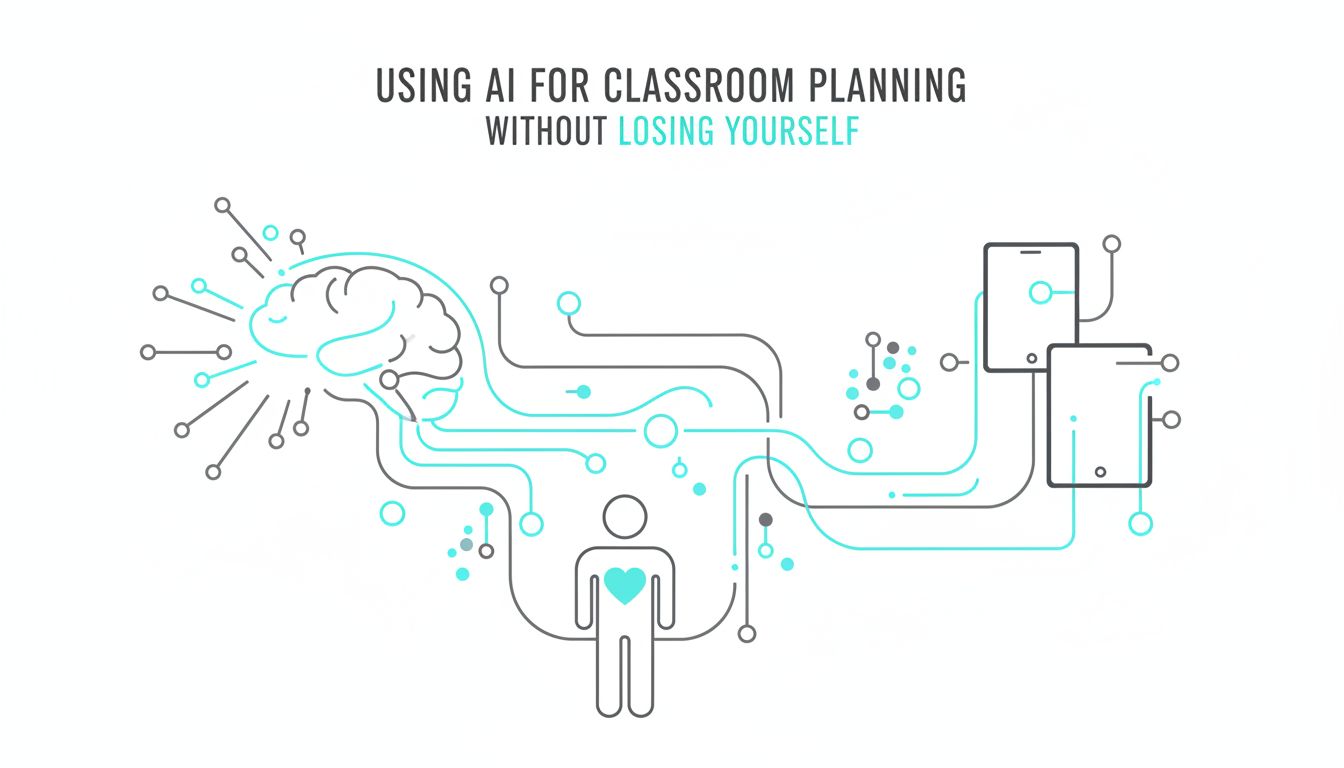
The most helpful way to think about AI in your classroom: it is a teaching assistant who never sleeps, but needs supervision.
You still decide:
- What to teach
- How to teach it
- What “good” looks like for your students
AI simply speeds up the messy middle.
For example, you might still design your unit. But you ask an AI tool to:
- Turn your unit goals into weekly “I can” statements
- Generate practice questions at three reading levels
- Suggest quick checks for understanding that fit your style
You are not handing over your judgment. You are outsourcing the tedious drafting.
[!TIP] Treat AI like a student teacher. Give it clear directions, check its work, and use what is useful. Ignore the rest.
What AI tools can realistically do for a K, 12 teacher
There is a lot of hype around AI that does not match a single real classroom.
So let’s keep this grounded in what AI can actually help you do right now.
Planning and paperwork: the invisible time sink
Lesson planning is not just “make a worksheet.” It is “align this with the standard, differentiate for three reading levels, integrate the district’s new framework, and make it engaging for 32 humans at 8:05 a.m.”
AI can help you compress the planning time, while you keep control of the quality.
Some realistic planning uses:
Brainstorming lesson ideas “Give me 5 different ways to introduce ratios using real-life middle school scenarios.”
Drafting worksheets or practice sets “Create 10 fraction addition problems, with answer key, in increasing difficulty for 5th graders.”
Modifying existing materials Paste your text and say, “Rewrite this at a 4th grade reading level, keep the key terms in bold.”
Creating rubrics “Turn this description of an argumentative essay into a 4-level rubric with student-friendly language.”
Here is what this can look like in practice:
| Task | Without AI | With AI |
|---|---|---|
| Draft bell ringer questions | 10, 15 minutes | 1, 2 minutes to generate + skim |
| Differentiate a reading passage | 30+ minutes | 5, 10 minutes to generate + refine |
| Build a basic rubric | 20, 30 minutes | 5 minutes to generate + edit |
| Turn unit goals into “I can” statements | 30, 45 minutes | 10 minutes to generate + adjust |
Those small time savings stack up.
The key: AI should give you a strong first draft, not a finished product. Your professional eye is still the last step.
Instruction and feedback: helping more students without more hours
You know the feeling. You finish circulating, the bell rings, and you realize 6 kids still did not get it, but you are out of runway.
AI tools will not clone you. But they can give you ways to extend your reach.
Some examples:
Quickly generating extra practice on the fly “Give me 5 more multi-step word problems similar to this one, with one challenge problem.”
Creating alternate explanations “Explain photosynthesis to an 8th grader using a cafeteria as a metaphor.” Then show that to the student who did not click with your first explanation.
Feedback starters for writing You paste a student paragraph (with no names), and ask: “Give me 3 strengths and 3 suggestions in positive, student-friendly language.” You keep or edit what you like.
Choice in how students practice AI can turn the same content into a short story, a set of flashcards, or a cloze passage. You pick which version fits which student.
[!NOTE] AI feedback is generic unless you train it with your criteria. Always feed it your rubric, your expectations, and a description of your students. The better the input, the more usable the output.
The point is not to hand grading to a robot. The point is to automate the repetitive parts so you have more time for the feedback conversations that actually change student work.
How to start using AI tools in your classroom tomorrow
You do not need a district initiative or a 3-hour PD to start.
Treat this like trying a new classroom routine. Start tiny. Reflect. Keep what works.
Low-risk ways to experiment in under 10 minutes
Here are a few 10-minute experiments you can try with any general AI tool, including SchoolGPT or whatever your district allows:
Rewrite directions
- Paste your current assignment directions.
- Ask: “Rewrite these directions for 6th graders, using simple sentences and an encouraging tone.”
- Compare. Use or tweak.
Generate three bell ringers
- Type: “I am a 3rd grade teacher. Create 3 quick review questions about rounding to the nearest ten, each one slightly harder than the last.”
- Adjust for your grade and topic.
Draft a parent email template
- Prompt: “Draft a respectful email to a parent about missing assignments in a 9th grade English class. Focus on partnership and next steps.”
- Personalize before sending.
Turn a standard into kid-friendly language
- Paste a standard.
- Ask: “Turn this into 3 ‘I can’ statements written for 5th graders.”
If your district gives you access to SchoolGPT or a similar education-focused platform, even better. Tools like that are often tuned to understand standards, privacy needs, and common teacher tasks.
The win for now is not “full AI integration.” It is one task that takes less out of you today than it did yesterday.
Classroom examples: from bell-ringers to parent emails
Let’s get specific.
Example 1: The 3-minute bell ringer helper You teach 7th grade math. Tomorrow’s lesson is proportional relationships, but your students keep forgetting how to convert fractions to decimals.
You ask an AI tool:
“Create 4 warm-up questions for 7th graders on converting fractions to decimals. Two easy, one medium, one challenge. Include an answer key.”
You paste them into your slide. You just bought yourself 10 minutes of review you did not have time to build.
Example 2: Gentle parent nudge, without the mental drain You have three students with missing work. You are emotionally tired. Writing the first sentence of the email feels impossible.
You ask:
“Draft a kind but firm email to a parent about their 10th grade student missing three assignments. Emphasize that I want to support the student and propose a plan to catch up.”
You edit the specifics, add the student’s name, and adjust the tone so it sounds like you. You did not start from a blank screen.
Example 3: Quick differentiation for a reading You want all students to read the same article about renewable energy. Some are reading at grade level. Some are not.
You paste the article in and say:
“Create a version of this article at a 5th grade reading level. Keep key vocabulary: renewable, fossil fuels, sustainable, greenhouse gases.”
Now you can offer both versions. Same content, different entry points. No weekend lost.
[!TIP] Whenever you use AI to create or adapt content, skim it as if a student will read it without you in the room. If it feels confusing, off, or just “not you,” fix it or toss it.
The hidden costs and risks of AI, and how to avoid them
AI is powerful, but it is not neutral.
Ignoring the risks does not make them disappear. Naming them does not mean you should never use it.
It means you use it like a professional.
Student privacy, cheating, and district policies
The big three concerns teachers raise are:
- “Is student data safe?”
- “Will this make cheating easier?”
- “What is my district’s stance?”
On privacy: Never paste identifiable student info into a tool that is not approved by your district. No full names. No IEP details. No discipline notes.
District-approved tools, like SchoolGPT in some districts, often have clearer data protections and are set up with education laws in mind. Generic public tools may not be.
On cheating: Yes, students can use AI to generate essays, solve math problems, and fake lab reports.
You cannot out-police the internet. But you can:
- Design more in-class processing of ideas
- Ask for planning steps, annotations, or voice reflections, not only final products
- Talk explicitly about ethical use of AI, not just “do not cheat”
On policies: Some districts are all-in on AI. Some are terrified of headlines. Some have no clue yet.
If you are unsure, ask your admin:
- “Which AI tools are approved for staff use?”
- “Are there guidelines for student use yet?”
Then document how you are using AI. If you keep your use focused on planning, drafting, and your own productivity, you are usually on safer ground while policies catch up.
[!IMPORTANT] When in doubt, protect student identity and academic integrity first. No tool is worth putting a kid’s privacy at risk.
Keeping your professional judgment at the center
AI is impressive. It is also very confident when it is wrong.
You will see it:
- Make up “facts” or citations
- Use biased or outdated examples
- Offer strategies that do not fit your students or context
Your professional judgment is the filter.
A useful mindset:
- AI can suggest, not decide
- AI can draft, you approve
- AI can reflect back your thinking, not replace it
If an AI-generated quiz does not match the depth of your standard, you change it. If an AI-generated explanation uses an example that would not land in your community, you tweak it.
The danger is not that AI will replace teachers. The real danger is that exhausted teachers start accepting low-quality AI output just to keep up.
You deserve better than that. So do your students.
Looking ahead: Helping students thrive in an AI-shaped future
Your students are growing up in a world where “Ask the AI” will feel as normal as “Google it.”
You do not have to become an AI engineer. But you are already shaping how they think about this technology.
Teaching AI literacy alongside your regular content
You are already teaching critical thinking. AI just gives you new, relevant material to aim it at.
AI literacy is not “Here is how to use this tool.” It is:
- What AI is good at and bad at
- How to question AI output
- How to use it ethically and transparently
You can integrate that into what you already do.
Example in English:
- Show students an AI-generated paragraph on a topic you are studying.
- Ask them to annotate where it is vague, where it might be wrong, and how they would improve it.
- They become editors, not passive consumers.
Example in science:
- Have AI generate an explanation of a concept, like natural selection.
- Ask students to fact-check it against your textbook and notes, then write a corrected version.
You are not teaching AI as a separate subject. You are turning it into another text to analyze and question.
Small shifts this year that prepare students for what is next
You do not need a grand AI curriculum. Start with small shifts:
- When you talk about sources, include AI as a “source” that must be cited and questioned.
- When you assign research, ask students to describe how they used any AI tools, not just whether.
- When a student admits they used AI, choose curiosity over punishment. “Show me what it gave you and how you changed it.”
Those conversations are the real preparation.
Tools like SchoolGPT can also be used as a “sandbox” in class. You can project it, show students how different prompts give different answers, and ask, “Which answer would you trust? Why?”
That is critical thinking, media literacy, and future readiness, all wrapped together.
If you remember nothing else, remember this:
AI is not here to replace your expertise. It is here to reduce your busywork, so your expertise actually reaches more students.
Pick one tiny use case this week. A bell ringer. A rewritten direction. A drafted email. Try it, edit it, trust your judgment.
Then notice what it feels like to get 10 minutes of your day back. That is where the real change starts.