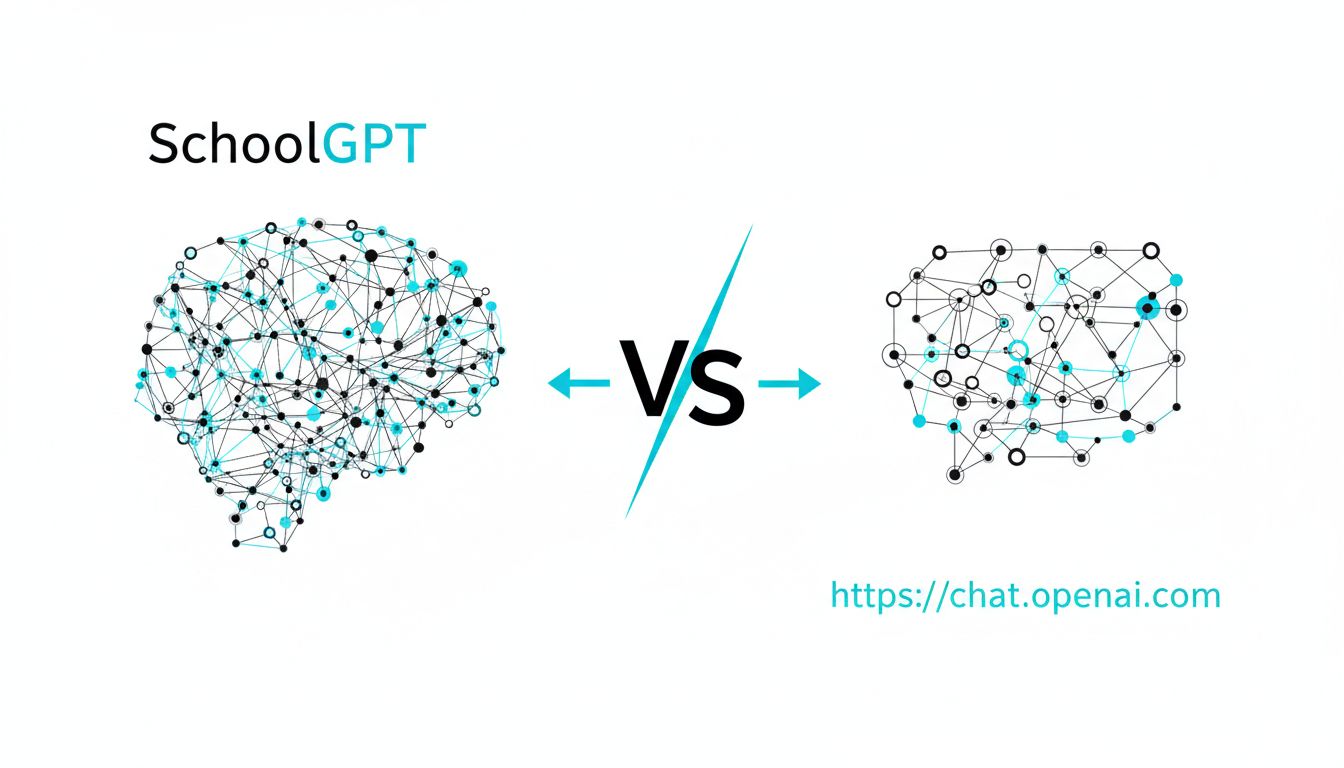
SchoolGPT vs https://chat.openai.com comes down to this: ChatGPT is a brilliant general AI you can bend toward teaching, while SchoolGPT is a purpose-built teaching assistant that already thinks like a K‑12 educator.
Everything else is details.
Quick comparison table
| Aspect | SchoolGPT | https://chat.openai.com (ChatGPT) |
|---|---|---|
| Core idea | AI co-teacher built for K‑12 workflows | General AI assistant for almost any task |
| Models | Centralized access to multiple top models (ChatGPT, Claude, Gemini, etc.) in one place | Primarily OpenAI models (GPT family) inside one interface |
| Education focus | 60+ education-specific tools and templates (lesson plans, quizzes, IEPs, parent emails, etc.) | No built-in K‑12 templates; you create prompts or use community ideas |
| Standards alignment | Designed to align output to K‑12 standards | Can align to standards, but only if you prompt and structure it yourself |
| Time savings | Optimized to cut planning/admin time for teachers (reusable workflows) | Can save lots of time, but requires more manual setup each time |
| Classroom context | Built around teacher roles, students, classes, and documents | Single chat interface; you manually provide all classroom context |
| Collaboration in schools | Built for multi-teacher, multi-class use cases | Mostly individual accounts and one-off chats |
| Learning curve | Very quick for teachers; feels like familiar teaching tools | Easy to start chatting, but harder to systematize for school workflows |
| Best for | K‑12 teachers/admins who want a “teaching ops” copilot | Power users and tinkerers who want maximum flexibility |
Where https://chat.openai.com (ChatGPT) works really well
You should not underestimate how strong ChatGPT is, even in education.
If you are a creative, tech-comfortable teacher who likes to experiment with prompts, ChatGPT is an incredibly powerful sandbox.
Here is where it shines.
1. Raw model quality and versatility
ChatGPT gives you direct access to cutting-edge OpenAI models.
You can:
- Brainstorm lesson ideas in seconds
- Rewrite instructions at different reading levels
- Draft emails, rubrics, scripts, slides, and more
- Role-play historical figures or simulate debates
If you know how to prompt it well, you can get excellent educational materials. For a lot of solo teachers and tutors, that alone is a game changer.
2. Flexibility beyond education
ChatGPT is not just for teaching.
You can also:
- Plan your own professional development
- Draft grant proposals or school improvement plans
- Help with side projects, grad school work, or personal tasks
If you like the idea of “one AI for everything,” ChatGPT feels clean and coherent. You stay in one app for most of your digital thinking.
3. Low friction for one-off tasks
Need a quick 5-question formative check on photosynthesis? Want a template for a restorative conversation with a student?
Opening ChatGPT, typing a quick prompt, and hitting generate is very fast.
If your use of AI is mostly “I need this one thing right now,” the general-purpose chat interface is not a problem. In fact, it can feel lighter than a more structured platform.
4. Great for early adopters and tinkerers
If you enjoy:
- Writing clever prompts
- Iterating on outputs
- Building your own little systems inside a chat
then ChatGPT is a fantastic playground.
You can essentially “roll your own SchoolGPT” with enough time and skill: create prompt libraries, reuse instructions, and approximate templates through saved chats.
The catch: you are doing the system design yourself, on top of a very powerful but neutral tool.
Where SchoolGPT pulls ahead for K‑12 educators
The key thing to understand: SchoolGPT is not just “ChatGPT but with a different logo.”
It is closer to “what you would build if you sat down with 100 teachers and asked: where exactly is your time going, and how should AI plug in?”
1. Built around K‑12 workflows, not general chat
Instead of a blank chat box, you get 60+ tools specifically for school work.
For example:
- “Generate a 5‑day lesson plan aligned to [standard] for [grade]”
- “Create differentiated practice questions for 3 reading levels”
- “Draft specific, strengths-based IEP goal language”
- “Turn this rubric + student work into clear feedback comments”
- “Write a supportive but firm email to parents about missing work”
The advantage is not just speed. It reduces cognitive load.
You use drop-downs, checkboxes, and targeted prompts that already speak teacher language, so you spend less time thinking “How do I ask the AI for this?” and more time checking that the output fits your students.
2. Centralizes multiple top AI models in one place
SchoolGPT lets you tap into ChatGPT, Claude, Gemini, and others inside a single education-focused interface.
That matters because:
- Some models are better at long structured writing (like feedback or reports)
- Others might be stronger at step-by-step reasoning or multiple-choice generation
- As models evolve, you benefit without having to track five different products
Instead of you managing accounts and logins for multiple AI tools, SchoolGPT acts as the unified front door that speaks “teacher.”
ChatGPT, in contrast, limits you to OpenAI’s own models. They are excellent, but you are in one ecosystem.
3. Standards and alignment baked into the flow
Good AI for teachers is not just about content. It is about alignment:
- To state or district standards
- To grade-level expectations
- To IEP needs and accommodations
- To school tone and policies
SchoolGPT’s templates are designed so that “aligned to [standard]” is part of the starting question, not an afterthought.
You can still make ChatGPT do this, but you must remember to paste standards, write constraints into each prompt, and keep grabbing them again and again.
Over time, that friction adds up. SchoolGPT tries to turn alignment into a default, not an advanced move.
4. Time savings at system level, not just task level
Both tools can help you do a single task fast.
The real difference appears over a week or a semester.
SchoolGPT is designed around recurring teacher workflows. For example:
- Weekly lesson planning across multiple preps
- Generating and revising formative and summative assessments
- Batch-generating feedback for a whole class of assignments
- Writing progress reports, IEP updates, and parent communications
Because workflows are pre-structured and repeatable, you can effectively “rinse and repeat” a process, instead of rebuilding the instructions every time in a fresh chat.
That is how it gets into “10+ hours per week saved” territory for many teachers: it systematizes the boring parts.
With ChatGPT, you can absolutely get to similar time savings if you:
- Build your own prompt library
- Keep a careful system for pasting and updating instructions
- Train yourself and your colleagues to use it consistently
But you are the process designer, not just the user.
5. Better mental fit for non-technical or busy teachers
Most teachers are not trying to become AI prompt engineers.
They want something that:
- Speaks their language
- Respects their constraints
- Works even when they are exhausted at 9 pm writing IEP comments
SchoolGPT’s templates and tools lower the “activation energy” to almost zero. Instead of:
“Write a detailed, standards-aligned lesson plan on fractions for 4th grade that includes objectives, activities, differentiation, checks for understanding, and exit tickets. Follow this structure…”
you select “4th grade,” “fractions,” and a couple of options.
That difference looks small on paper but is huge in practice for adoption across a whole staff.
6. School- and team-friendly use
Because SchoolGPT is aimed at K‑12 environments, it is more naturally suited to:
- Multiple teachers using consistent workflows
- Sharing templates or outputs among colleagues
- Ensuring a certain level of standardization in how AI is used
ChatGPT is excellent for individual use, but if a district is trying to create coherent “AI norms” and give everyone the same starting point, a specialized tool with common templates is usually easier to roll out.
Real scenarios: which should you choose?
Let’s pull this out of the abstract and into day-to-day school life.
Scenario 1: The solo power-user teacher
You are:
- Comfortable with tech
- Already using AI a bit
- Teaching one or two preps and like to customize everything
You might love ChatGPT if:
- You enjoy iterating on prompts and getting exactly what you want
- You want an AI that helps with both school and non-school life
- You are fine building your own little system over time
You might still add SchoolGPT later if you want more structure around standards and repetitive tasks, but ChatGPT alone could serve you well.
Scenario 2: The exhausted multi-prep teacher
You are:
- Teaching several different subjects or grade levels
- Constantly juggling lesson planning, grading, and parent communication
- Not particularly excited to learn prompt engineering
You will probably feel immediate relief from SchoolGPT because:
- You can go straight to “Create a week of lessons for X grade, Y topic”
- You can batch-generate feedback or quizzes without reinventing prompts
- Tools are organized the same way your workload is organized
ChatGPT can still help, but you will likely feel like you keep restarting from scratch.
Scenario 3: Department lead or instructional coach
You are:
- Responsible for a group of teachers
- Trying to standardize quality without killing creativity
- Interested in responsible AI use at scale
With ChatGPT alone, your options are:
- Share best-practice prompts in docs or PD sessions
- Hope people use them consistently
- Accept wide variation in how AI supports instruction
With SchoolGPT, you can:
- Point everyone toward the same core templates for key workflows
- Give teachers a safer “on-ramp” to AI that reflects school values
- Focus training time on judgment and pedagogy rather than prompt syntax
ChatGPT is still valuable as an “advanced user tool,” but SchoolGPT serves better as the shared foundation.
Scenario 4: Special education and IEP-heavy workloads
You are:
- Managing many IEPs, progress reports, accommodations, and parent updates
- Very sensitive to tone, clarity, and legal accuracy
- Short on time to write high-quality individualized narratives
SchoolGPT’s specialized tools for IEPs and student support are designed exactly for this space: clear, structured, strengths-based, and aligned to typical documentation needs.
ChatGPT can absolutely help if you craft careful prompts and review closely, but you are designing the framework yourself, which can be mentally taxing on top of an already heavy workload.
Scenario 5: Admin or district technology leader
You are asking:
- How do we support teachers without overwhelming them?
- How do we choose tools that are future-proof but grounded in pedagogy?
- How do we avoid a “shadow ecosystem” of random AI usage?
ChatGPT gives staff access to extremely powerful models, which is good.
SchoolGPT wraps that power in educator-friendly patterns, multi-model flexibility, and school-appropriate workflows.
In practice, many districts will end up using both:
- ChatGPT for advanced users and broad creative tasks
- SchoolGPT as the primary “AI teaching assistant” visible to most staff
So, which one is right for you?
Here is the simplest way to think about it.
Choose https://chat.openai.com (ChatGPT) if:
- You want a single, general-purpose AI for every area of life.
- You are comfortable designing your own prompts and workflows.
- You like experimentation and do not mind a bit of friction to get exactly what you want.
- You are an early adopter or “resident geek” in your department who others ask for help.
Choose SchoolGPT if:
- Your main goal is to reduce planning, grading, and admin time in K‑12.
- You want AI that already “thinks like a teacher” out of the box.
- You value standards alignment, templates, and repeatable workflows.
- You are rolling AI out to a full school or district and need a common, teacher-friendly starting point.
- You want one education interface that can tap multiple top models (ChatGPT, Claude, Gemini, etc.).
In reality, many educators will end up with both:
- ChatGPT as the general-purpose, do-anything AI companion
- SchoolGPT as the specialized teaching assistant that structures and speeds up the core K‑12 work
If you are trying to decide what to try next, a practical next step is:
Use SchoolGPT for one full week of “teaching operations” Lesson plans, quizzes, feedback, IEP drafts, parent messages.
At the same time, keep https://chat.openai.com for everything outside that narrow band.
By the end of that week, you will have a very clear feel for where each tool belongs in your own workflow, and the “schoolgpt vs https://chat.openai.com” question will answer itself.